Why an Efficient Layout Can Still Be Awkward to Cut
Understand why a mathematically efficient layout can still create a clumsy or unreliable cut flow.
A layout can look efficient on paper and still be a bad layout at the saw.
The example below is compact. The parts fit tightly, the sheet usage looks strong, and nothing seems obviously wrong at first glance. But the center creates a stop cross: a cross-shaped intersection that interrupts a clean cut flow.
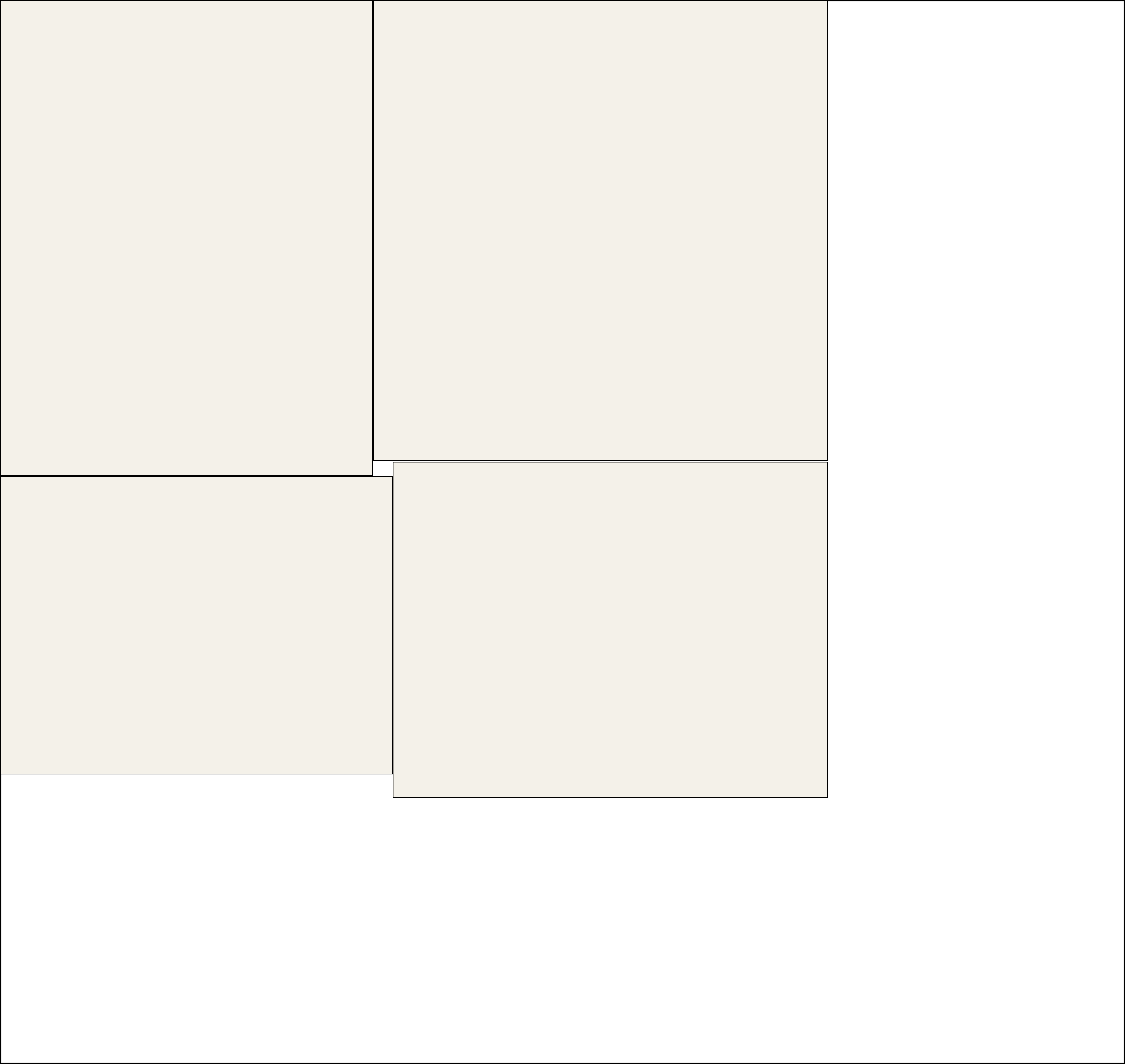
A stop cross is one of the easiest ways for a layout to look better than it actually cuts.
Why this layout is awkward
With a stop cross near the center:
- the layout looks compact, but the sequence is less smooth than it first appears
- some parts stay trapped until a less convenient cut happens first
You can still cut a layout like this, but near the middle the flow usually stops being smooth. You slow down, come to a careful stop, and then continue from a different direction.
That is exactly the kind of pattern a cut-friendly layout should avoid. Woodworking-oriented planning tools are not only trying to make parts fit. They also need to avoid layouts that interrupt the cut flow for no good reason. Grainline cares about that too.
Grainline cares about cut flow
Grainline tries to find the best balance between packing efficiency and a cleaner cut flow.
If the only goal were to fit 50 parts onto the fewest possible boards, we might evaluate around 15,000 layouts. To favor layouts that are easier to cut, we may explore roughly another 10,000 on top of that.
We prioritize your cutting flow and stable support over raw packing density, ensuring you get a clean, logical sequence every time.
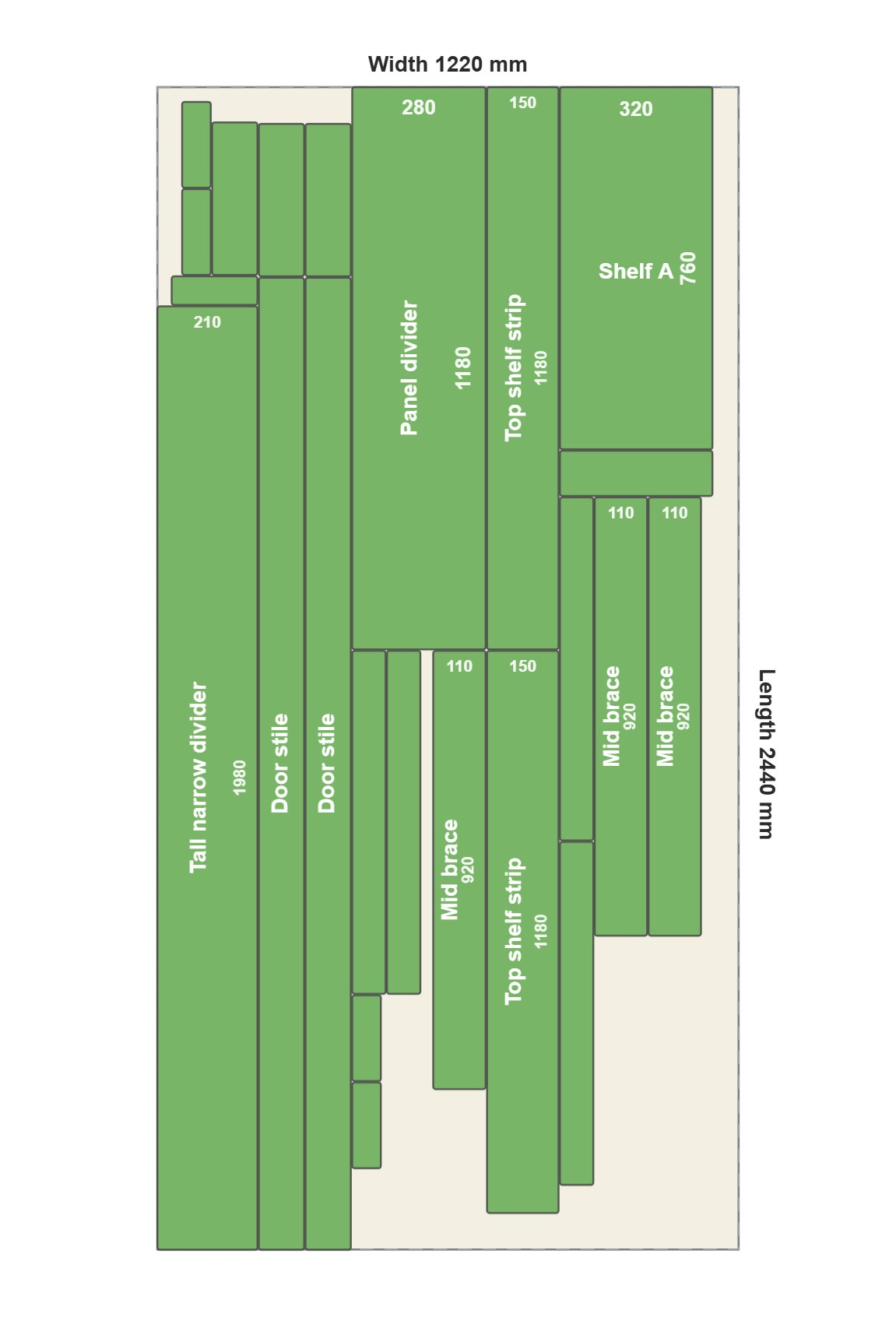
Most woodworkers just need one glance. When you see a Grainline layout, you won't ask if it's optimized. You’ll just realize: "Yes! That’s exactly how I’d break it down, only faster, cleaner, and smarter than I ever could have sketched."